

Overview
Design Assist is an AI Operating System for design collaboration at Meta, built on a three-tier framework that extends design intelligence across the organization. By combining a RAG (Retrieval-Augmented Generation) knowledge pipeline with context-aware tooling, it transforms how designers, engineers, and product managers access and apply design standards.
At Meta’s Enterprise Infrastructure Services and Analytics (EISA) organization, design data was trapped inside design tools. Designers spent 10-15 hours per month searching for components, checking compliance, and maintaining consistency across 6,000+ Blueprint components. Meanwhile, engineers and product managers couldn’t access design intelligence without manually requesting help, creating bottlenecks across the product organization. The goal was to integrate compliance so deeply that we could increase delivery velocity and quality simultaneously.
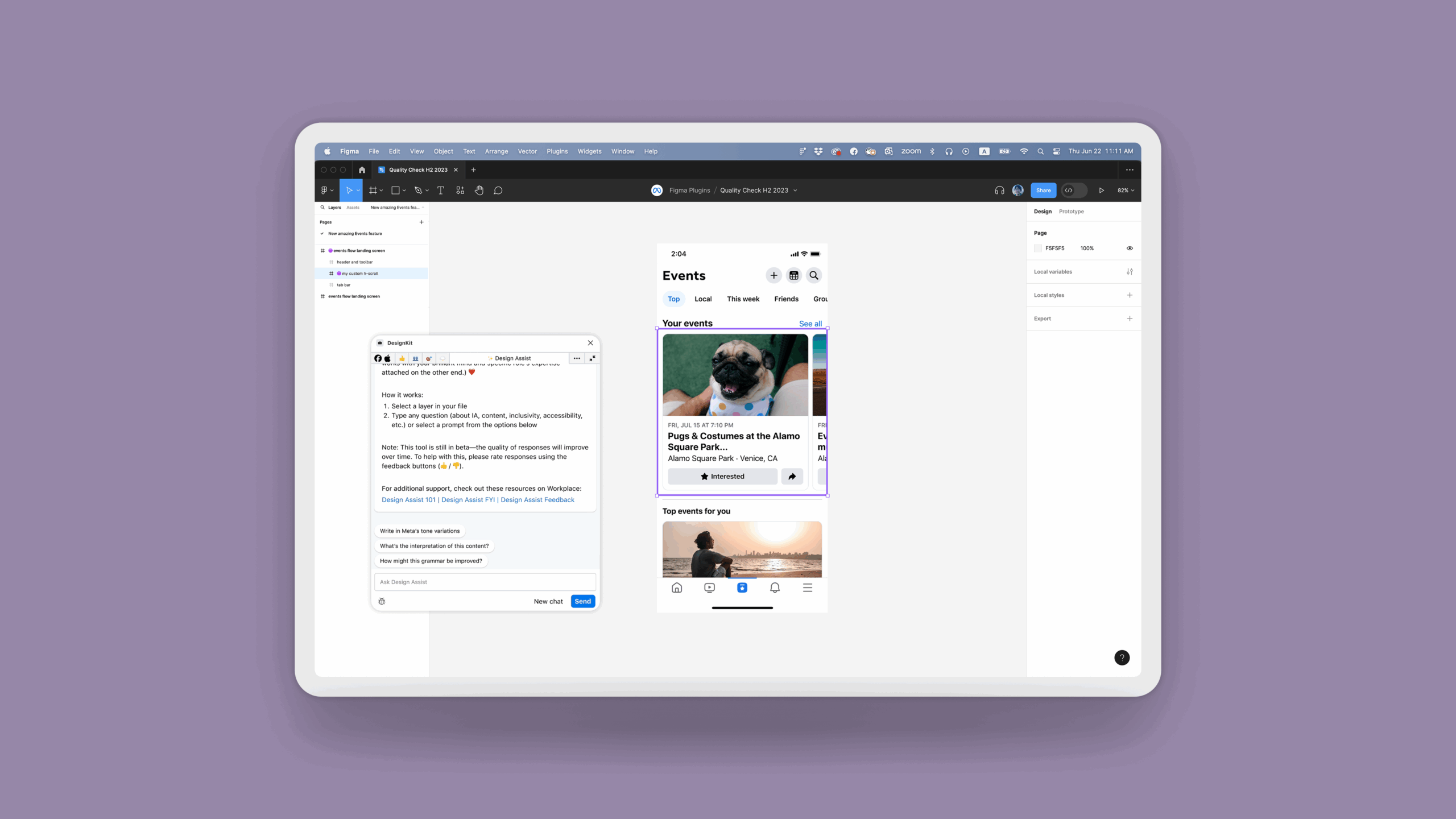
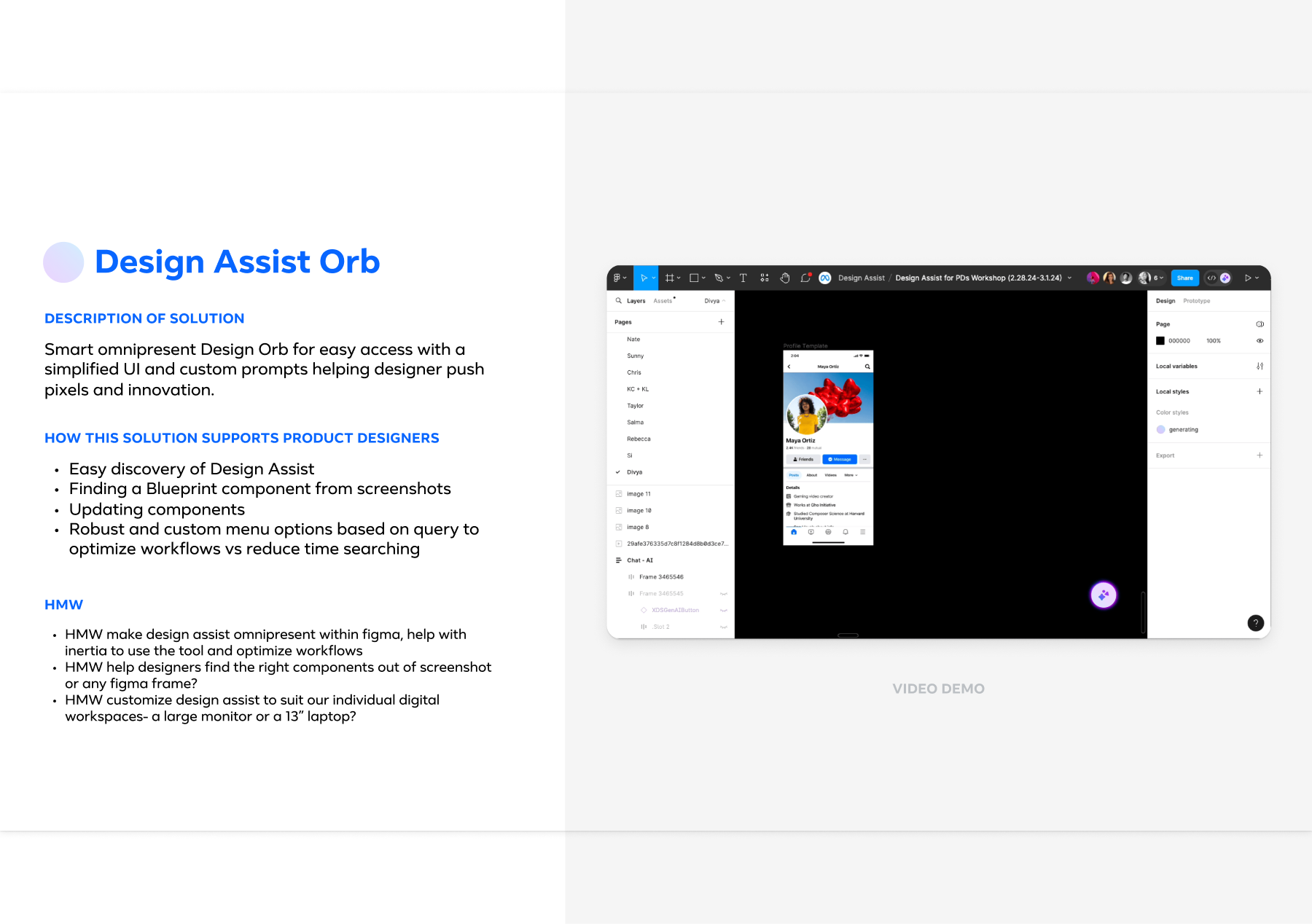
As the Group Design Manager, I led the strategy to transform “AI as a Raw Material.” This case study documents Phase I: embedding design intelligence into the designer’s workflow through a Figma plugin to validate the infrastructure before scaling enterprise-wide. We didn’t just build a plugin. We built an infrastructure. Partnering with EISA engineering, we developed Design Assist: an omnipresent “Orb” and toolbar in Figma that uses the RAG pipeline to read canvas context and inject system-compliant solutions. The result was a shift from manual policing to automated consistency, driving adoption from 45% to 90% and reclaiming 10-15 hours per month for the design team.
Research & Design
AI Product Strategy · RAG Knowledge Pipelines · Design Systems (Blueprint) · Conversational UX · Toolchain Architecture · Change Management · Internal Tooling · Workflow Automation · Compliance Frameworks · Cross-Platform Integration
- Duration: April 2024–January 2025
- Partners: MetaGen AI Team, Blueprint Design System, EISA Engineering
- Team: 5 Senior Designers (Kenzo, Ankita, Bo, Andrew, Levi), EISA Engineering, MetaGen AI Team, Blueprint Design System
Confidentiality: Certain details have been adjusted to protect proprietary information while accurately representing my design approach and impact.

My Role
As the Design Manager at Meta, I led an AI-powered design tool’s vision, UX strategy, and implementation, collaborating closely with cross-functional teams, including MetaGen AI engineers, product managers, and the Blueprint design system team. I directed research studies to identify designers’ pain points related to design system adoption and created and tested multiple iterations of the conversational UI and contextual features. Additionally, I oversaw the tool’s integration with Figma and Blueprint, ensuring a seamless user experience.
WHAT I BROUGHT
I defined the "AI as Raw Material" strategy, shifting our focus from simple automation to deep workflow augmentation. Rather than treating AI as a replacement threat, I positioned it as a substrate that designers shape and mold to augment decision-making. I also oversaw license governance and managed the $450K budget to ensure scalable, responsible adoption, while architecting the foundation for an enterprise-wide system that would eventually extend beyond designers.
I facilitated cross-disciplinary workshops that identified critical "abandonment moments," specifically finding that 87% of components were dropped when classification was complex. This insight pivoted our entire strategy toward an "in-context" intervention rather than a separate dashboard.
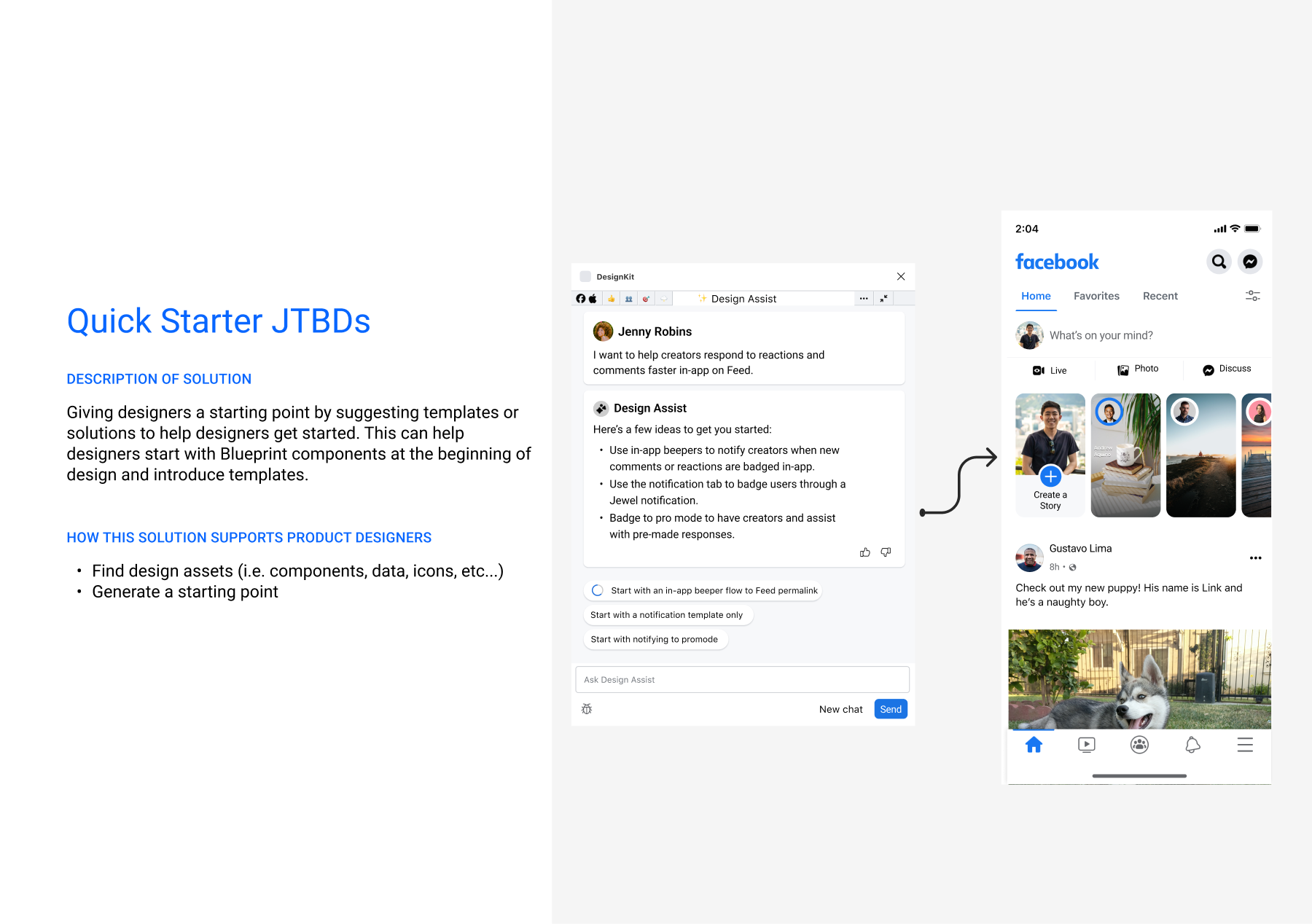
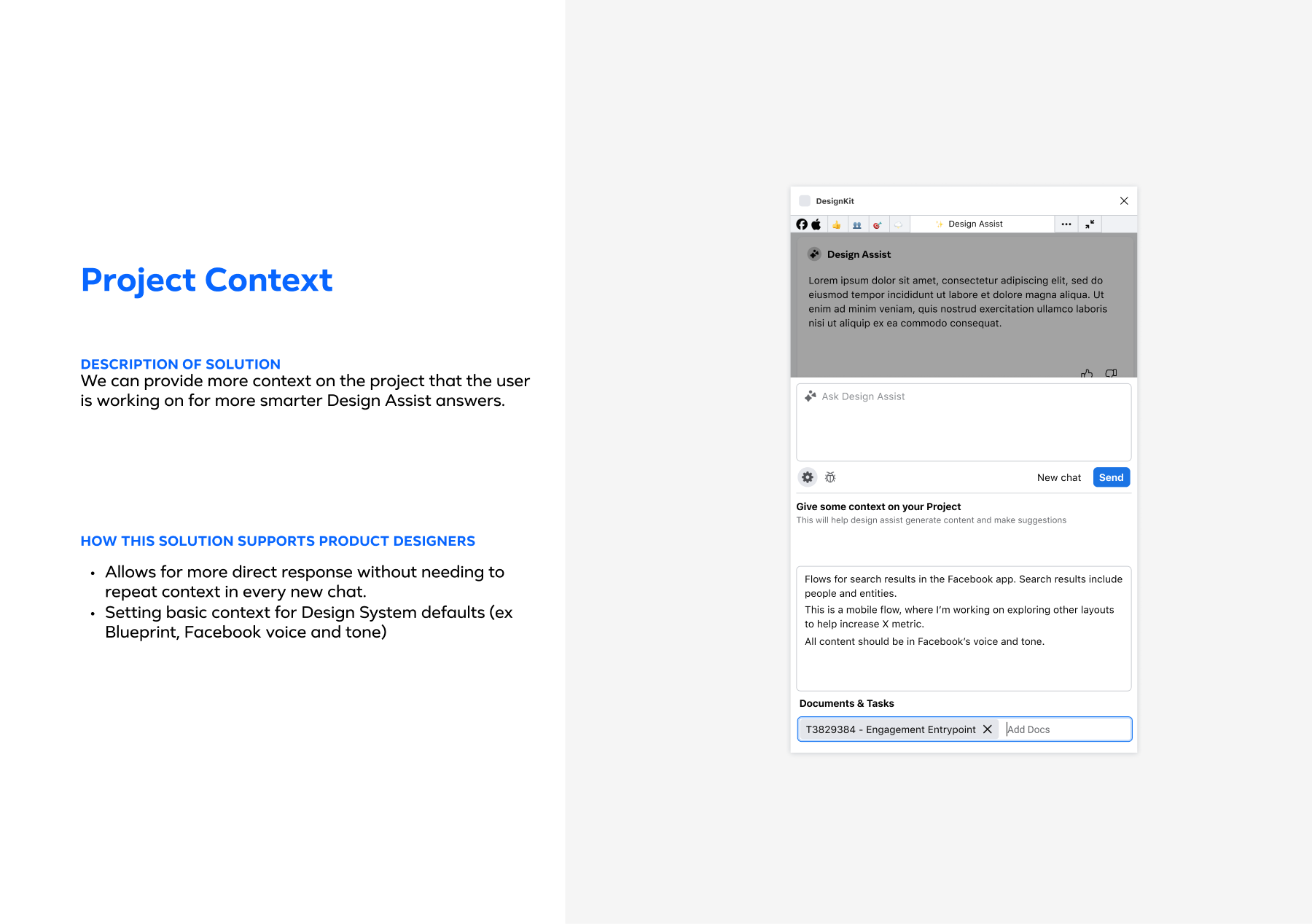
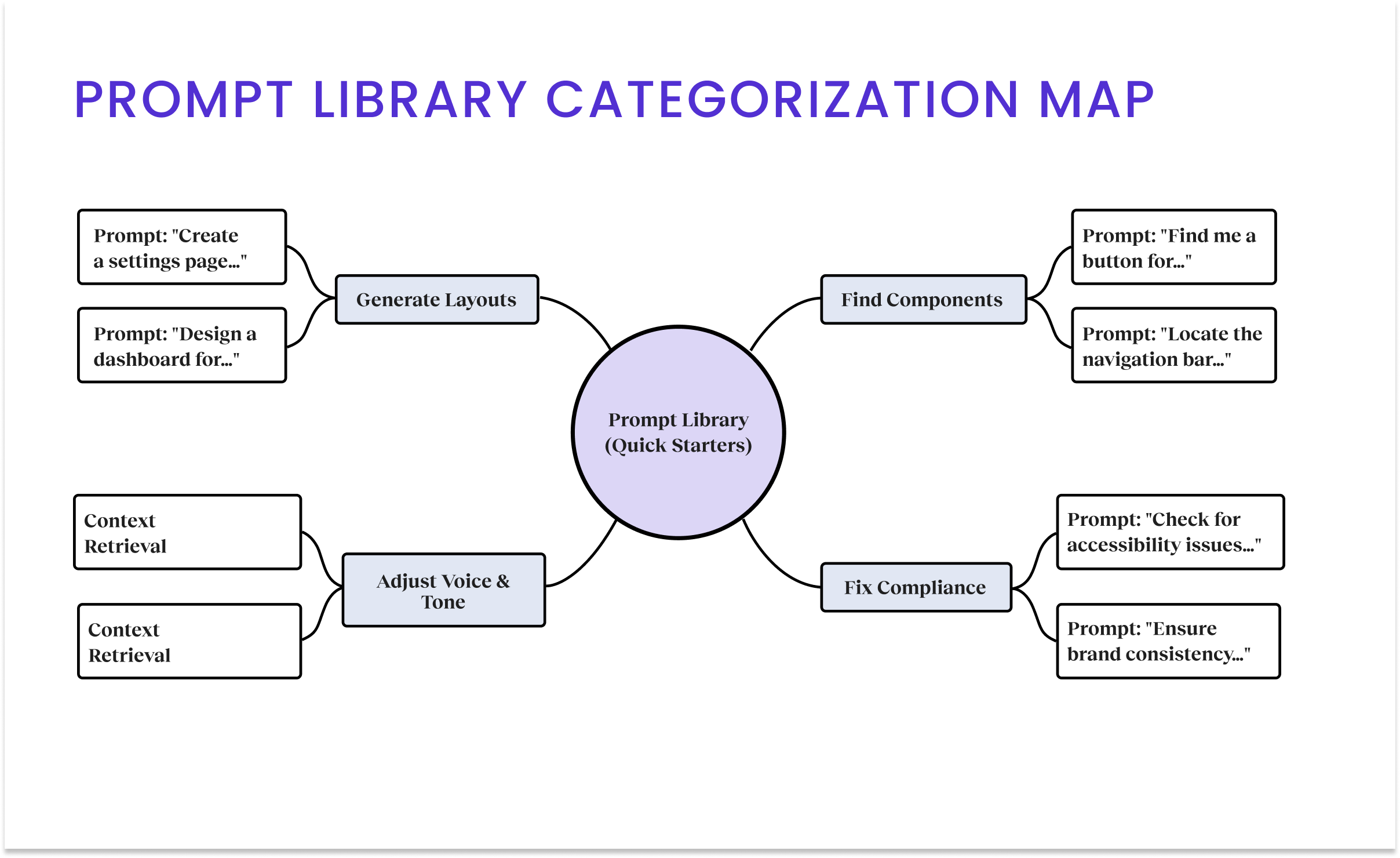
I architected the "DesignKit" and "Design Orb" concepts, creating a system in which the AI "reads" local variables and project context (e.g., Google Docs) to tailor its output. I structured the team topology, delegating feature streams to specific designers while personally executing the Core Toolbar & Quick Starter to ensure the architectural foundation was stable.
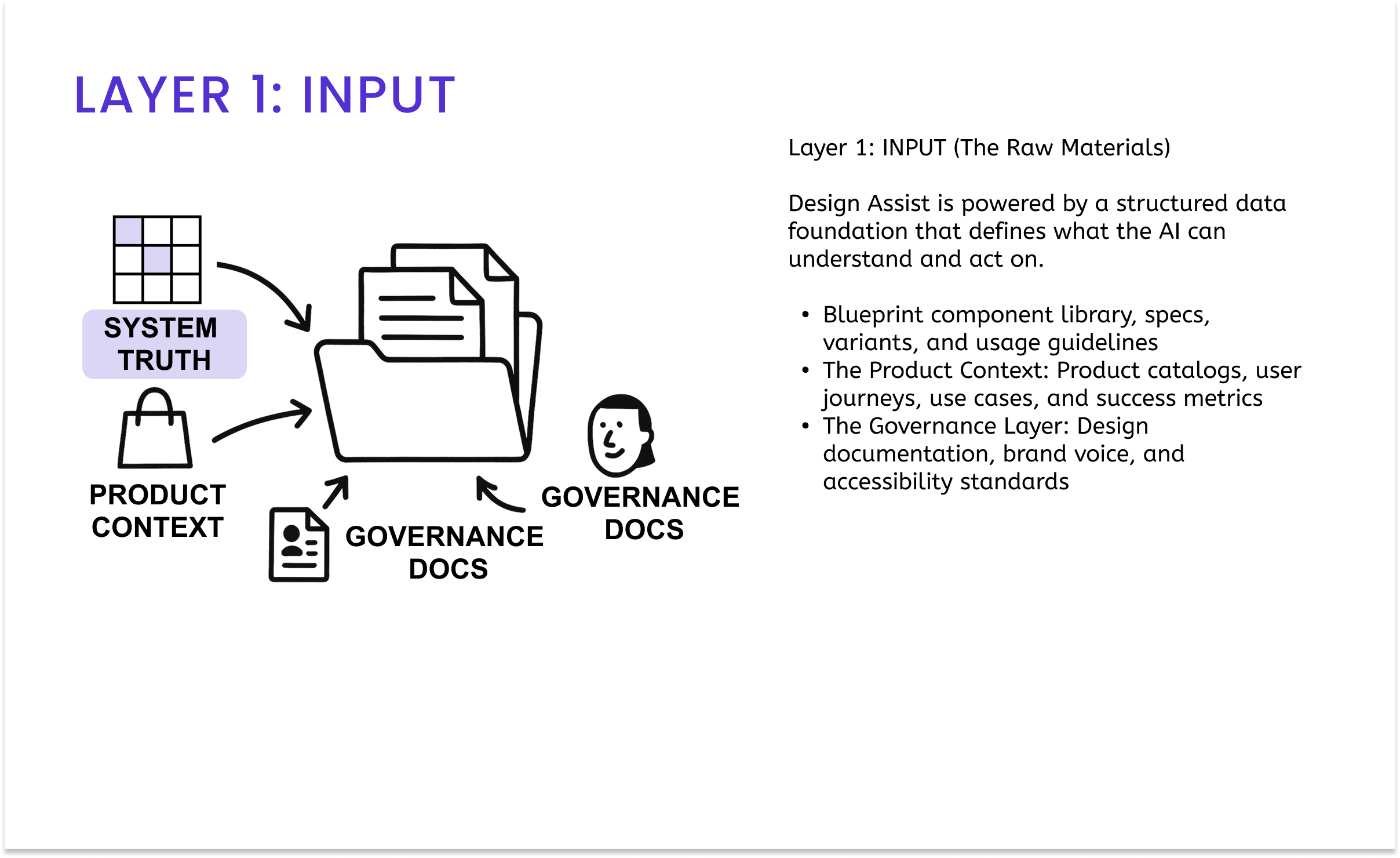
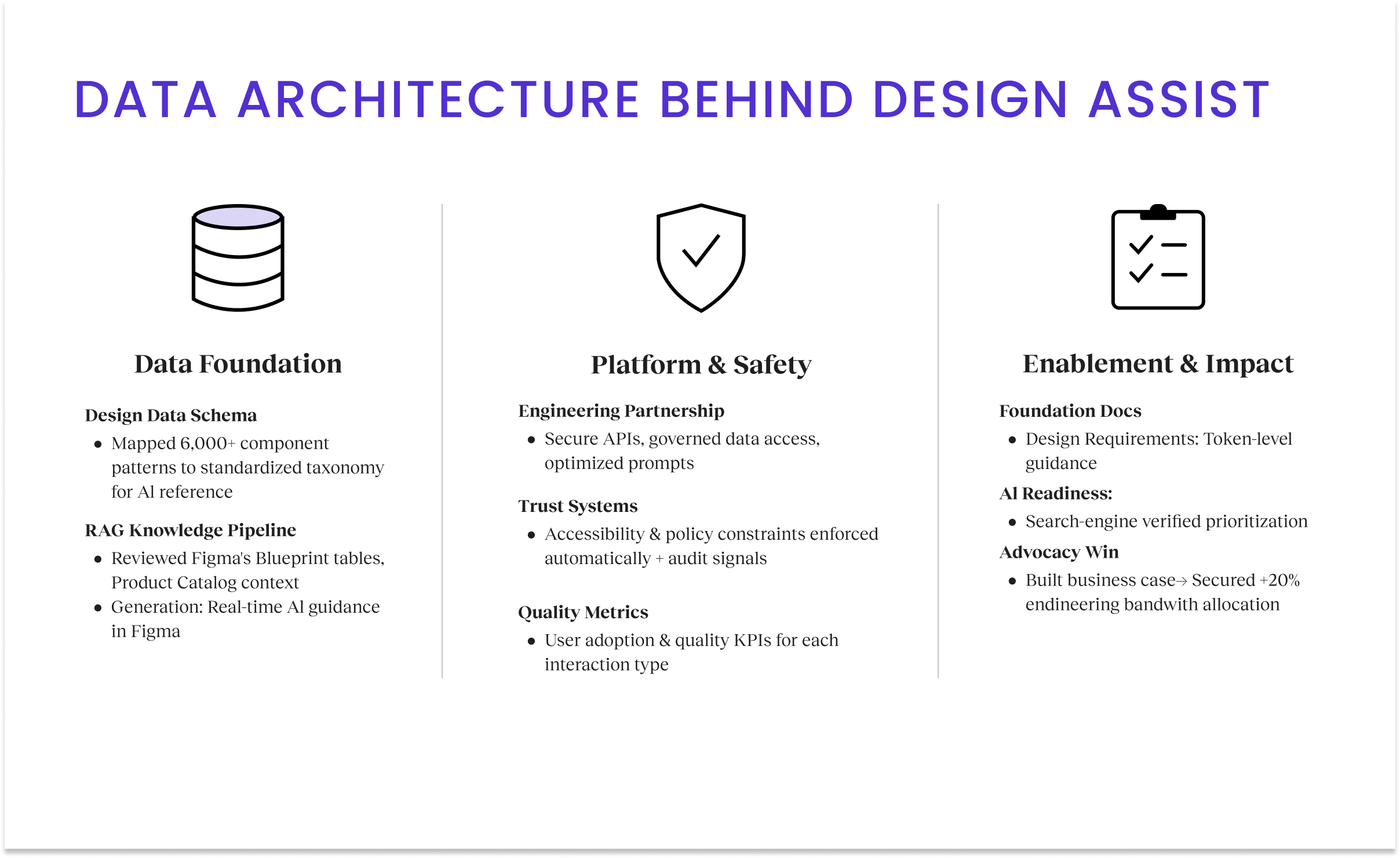
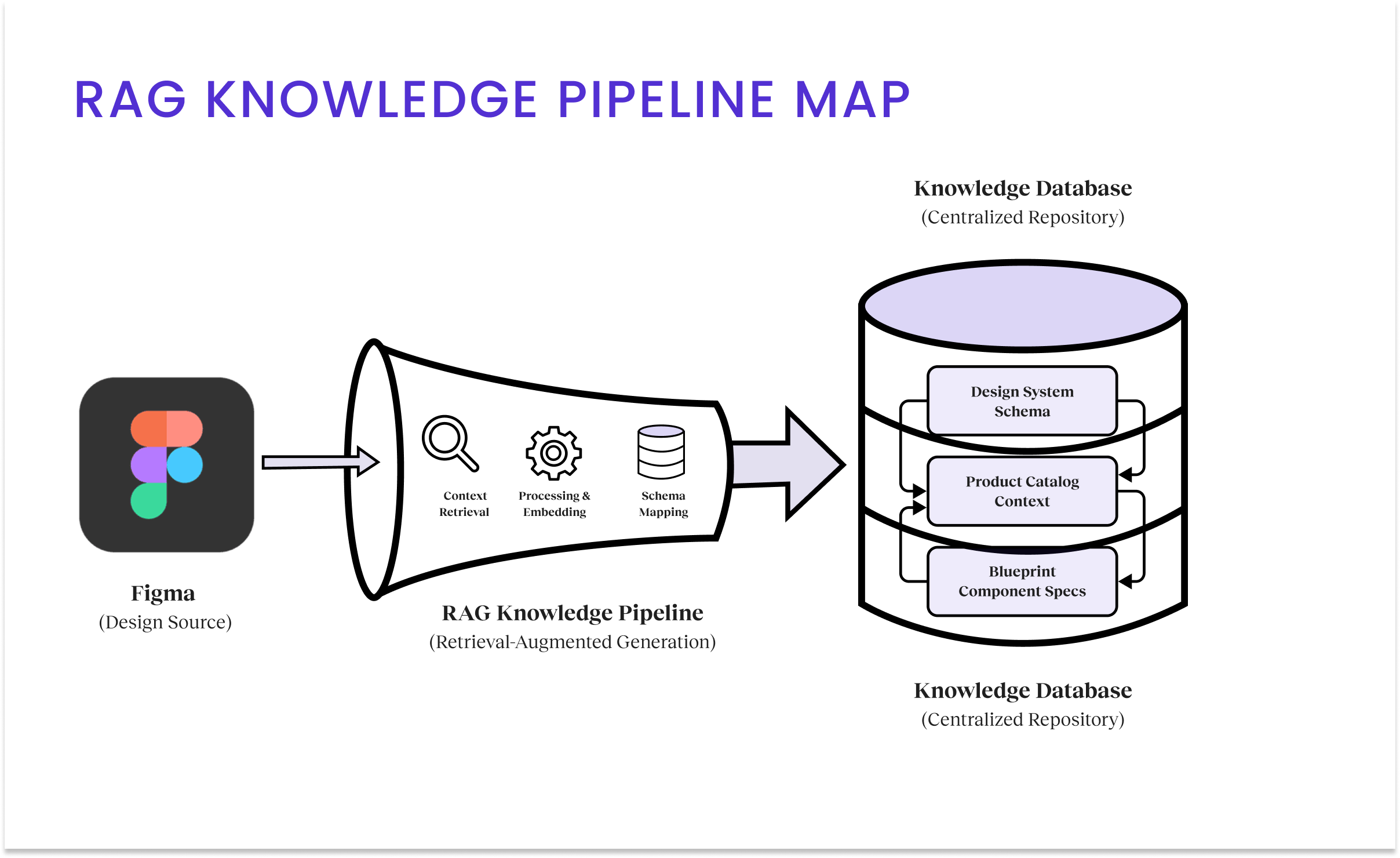
I partnered with Engineering to build the RAG Knowledge Pipeline, mapping 6,000+ patterns to a standardized taxonomy and integrating it with our design documentation. This infrastructure enabled real-time verification against live code repositories, ensuring we were designing against truth, not just static files.
Problem Context
Our internal data showed that 46% of designers were struggling to use Blueprint consistently. The cost of this friction was massive: for every senior designer we hired, nearly 16 hours of their month were lost to “system archeology,” digging through repositories to find the right component. The “abandonment” metric was our smoking gun. We found that 87% of designers would abandon a compliant component if the classification process required multiple steps. They weren’t being rebellious. They were being efficient. To keep up with aggressive shipping timelines, they would simply “detach” and build from scratch, creating massive technical debt downstream.
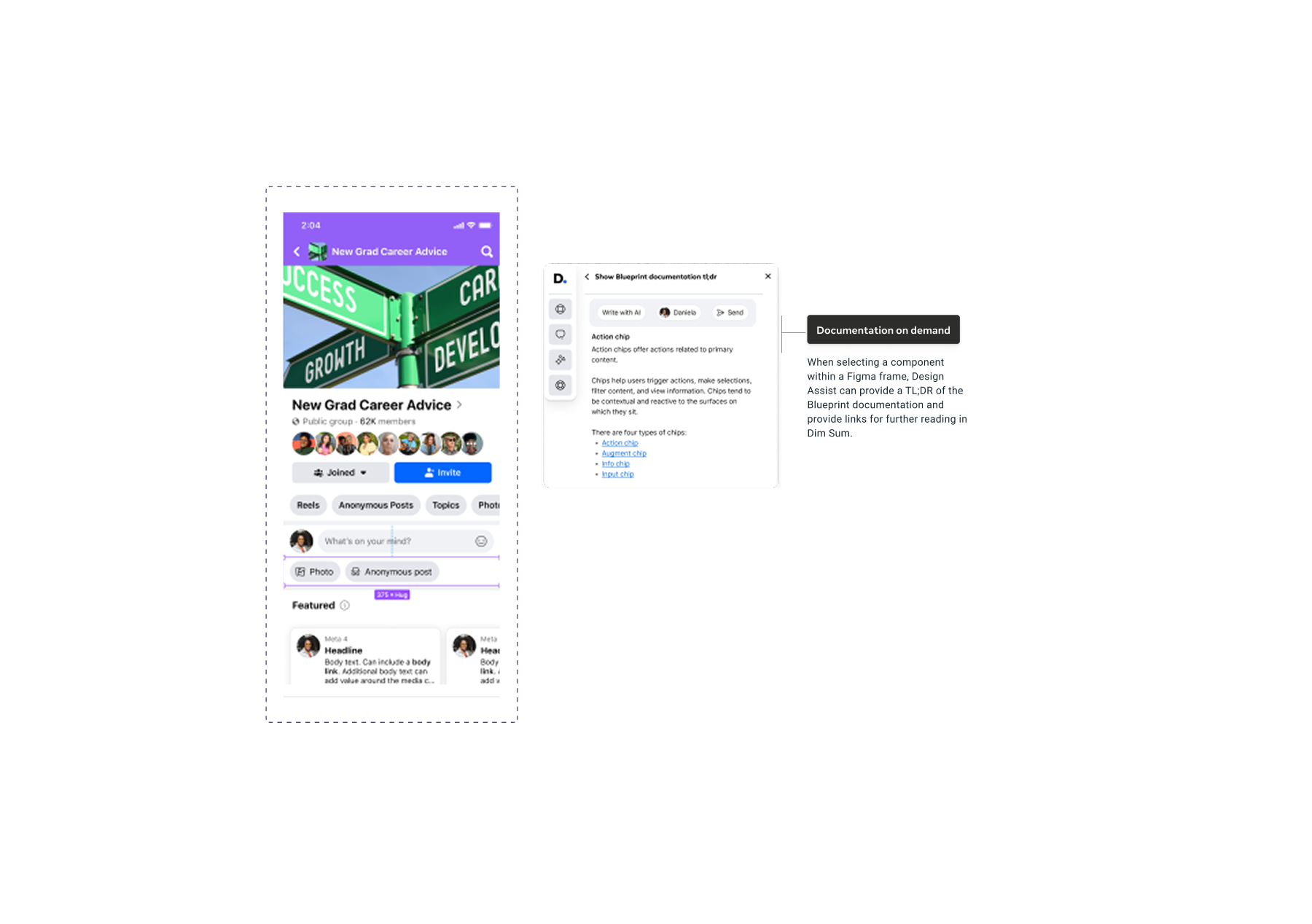
Furthermore, the sheer volume of context, voice, tone, and accessibility rules meant designers were constantly context-switching out of Figma to read documentation in “Dim Sum” (our internal wiki). Beyond designer inefficiency, friction extended to dependencies: engineers and PMs couldn’t access design logic without manually requesting help, creating organizational bottlenecks. We needed a solution that brought the documentation to the pixel, eliminating the gap between decisions and data.
My Approach
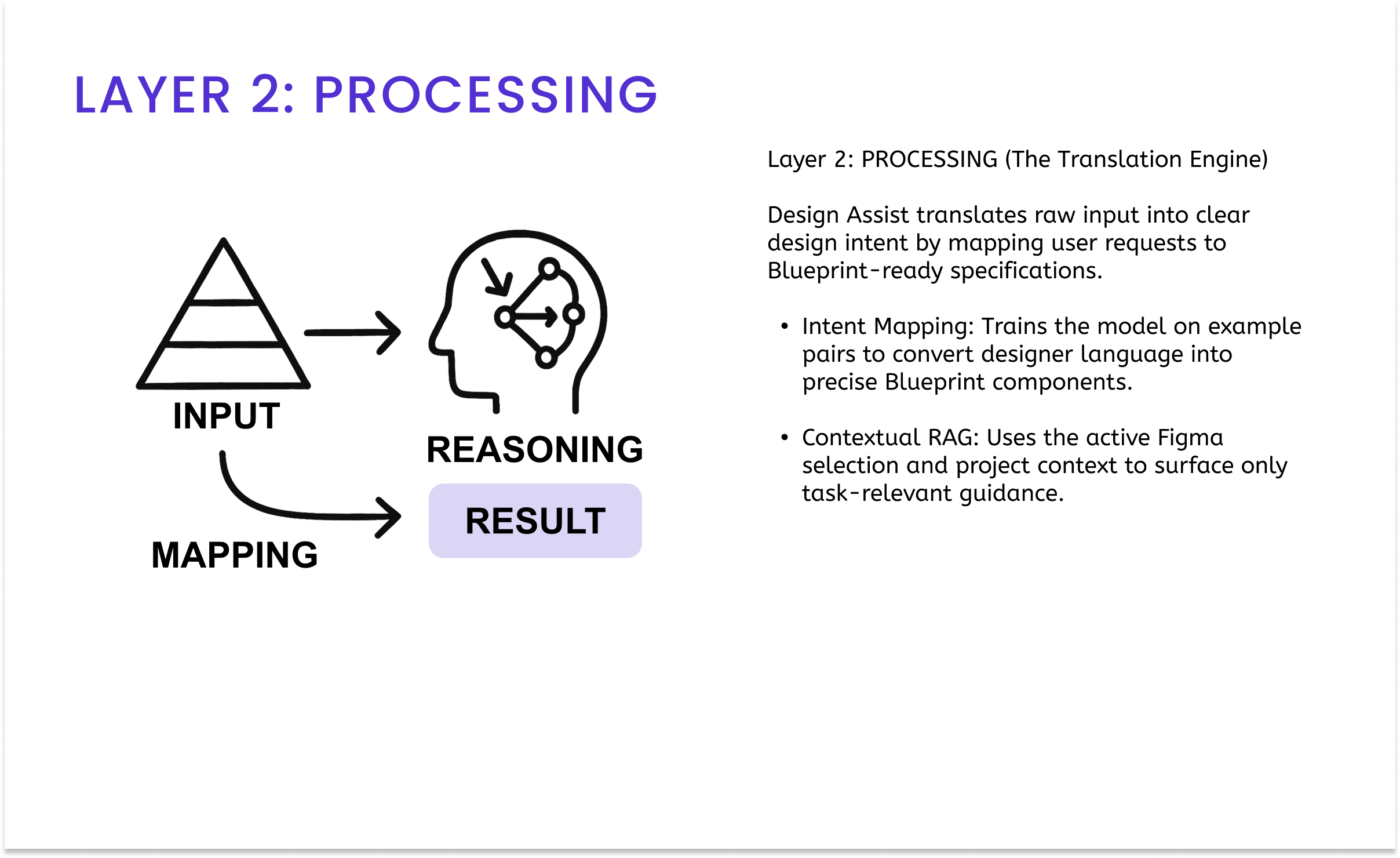
My strategy began with a provocation: “How can AI become a new ‘Raw Material’ for design?” Identifying workflow friction, I pivoted our tooling strategy from static documentation to an embedded RAG-powered Figma plugin. I followed a “Skateboard to Airplane” maturity model: starting with designers to validate the infrastructure before scaling enterprise-wide. I aligned Product and Engineering on the data foundation, then operationalized the vision by delegating feature streams to my team, orchestrating our collective efforts toward a high-fidelity MVP.
Design Process
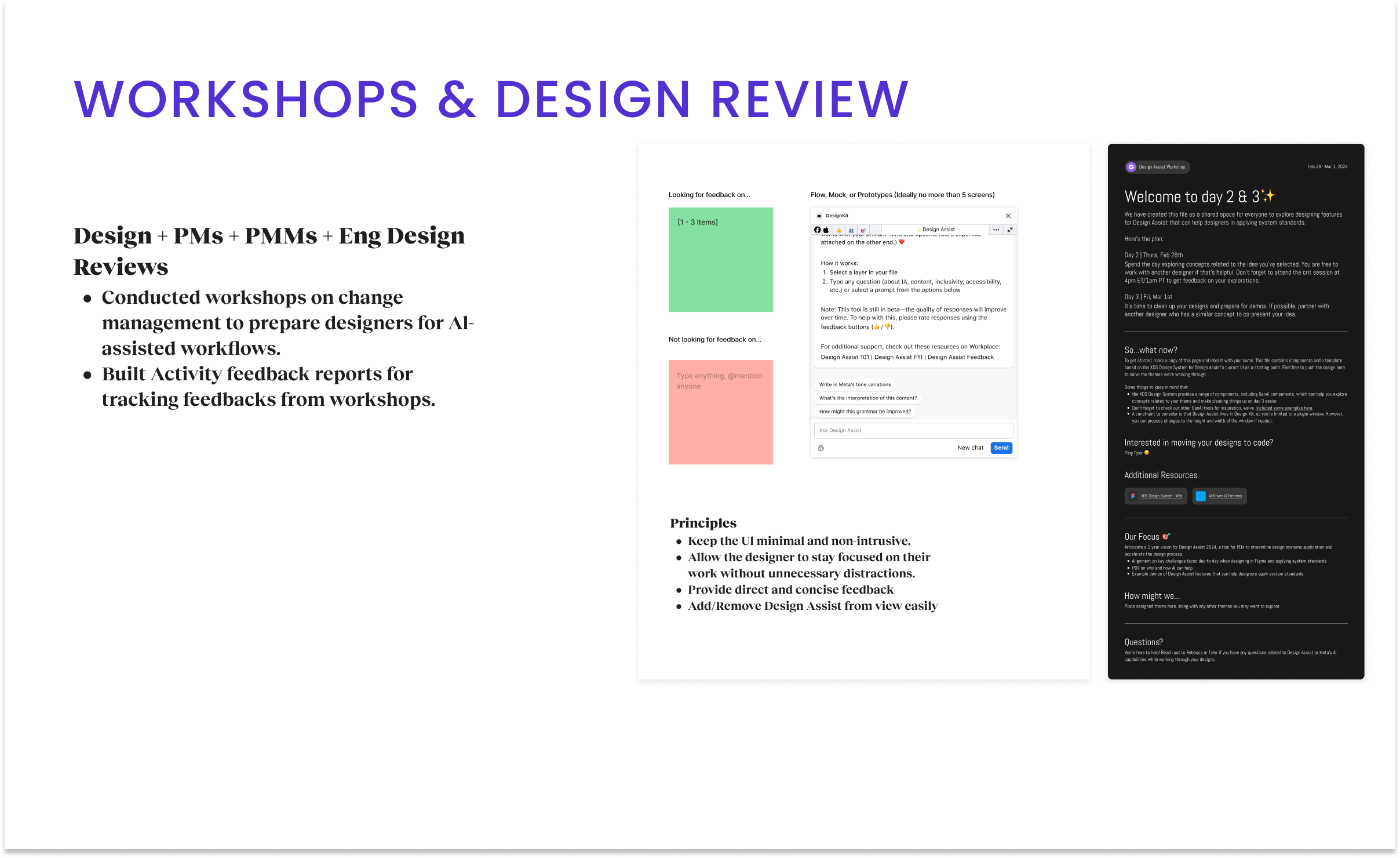
My research strategy began with a provocation: How can AI become a new “Raw Material” for design? We moved away from the fear of replacement and framed “AI as Amplifier,” a substrate that designers shape and mold to augment decision-making. To validate this, we needed to move beyond theory and into the messy reality of the EISA workflow. To do so, I facilitated a series of cross-disciplinary workshops involving Design, PMs, PMMs, and Engineering. We made the strategic decision to choose Figma augmentation as our delivery vehicle, embedding the intelligence directly into the tool where the work happens.
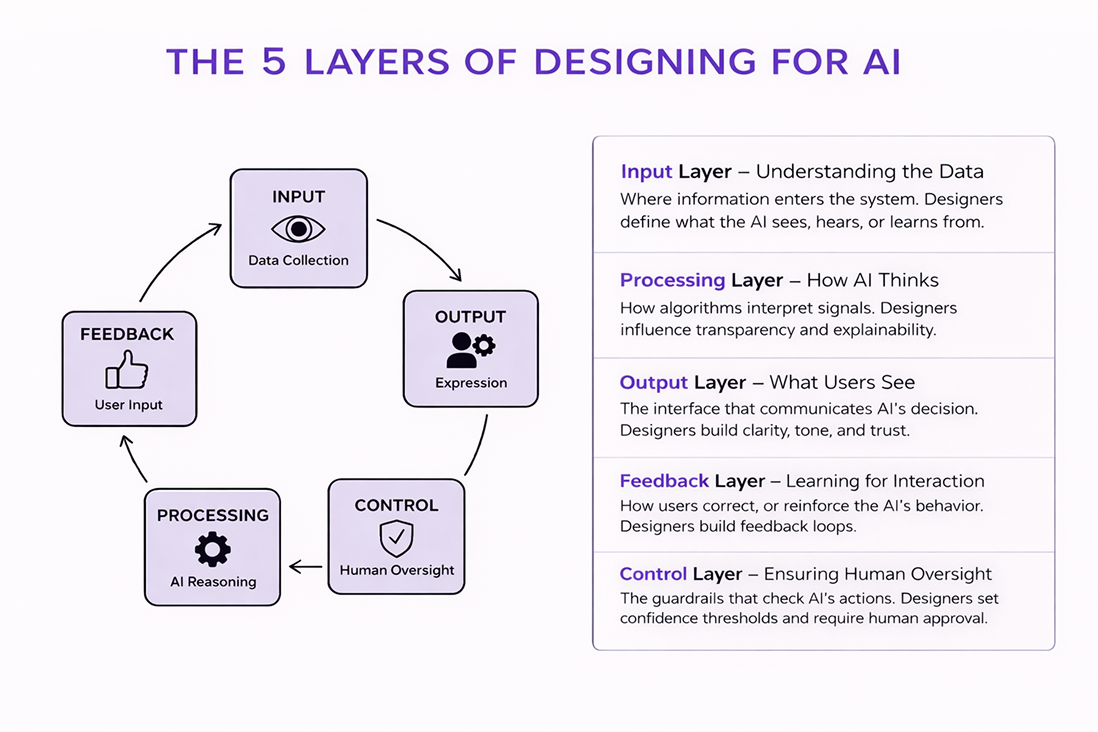
AI Design Strategy (The Behavior)
We realized early on that a generic LLM would fail in a specialized enterprise context due to security constraints. We had to design the product’s “brain”. My strategy followed a Behavior-First approach, defining the AI Design principles before laying the Data Infrastructure to support them.
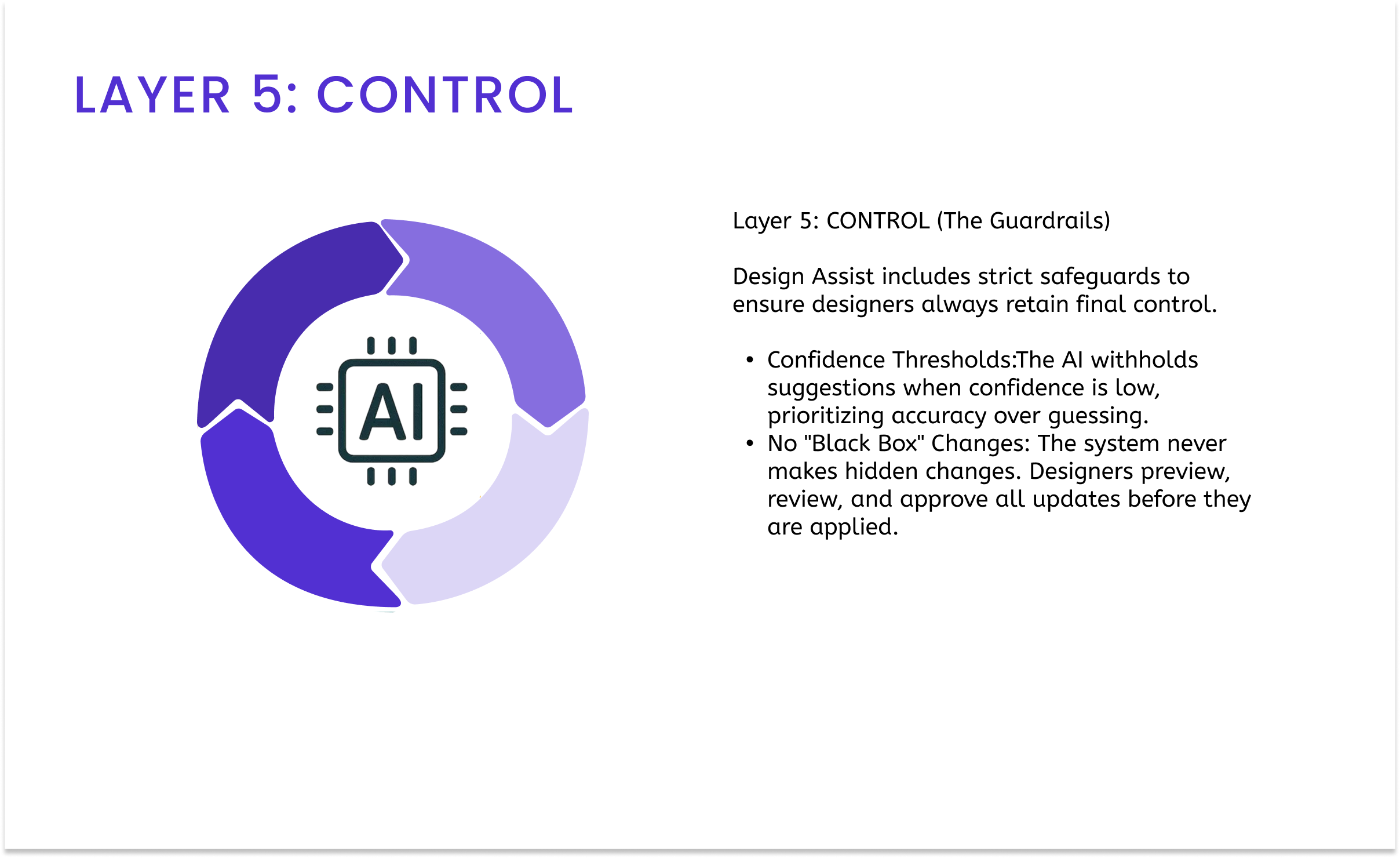
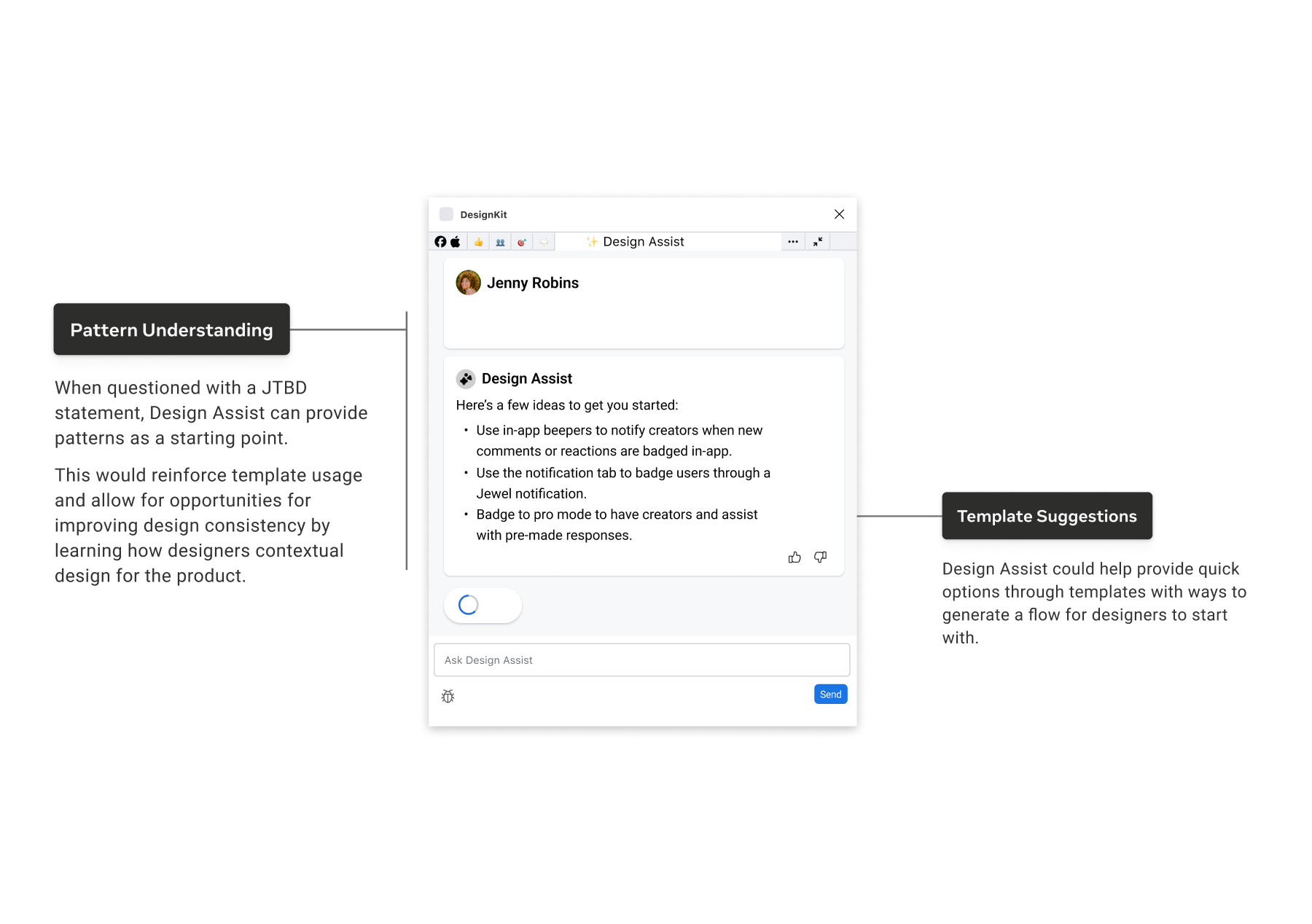
I treated the model as a user persona and defined its capabilities through rigorous Prompt Engineering. We moved beyond zero-shot queries, employing few-shot learning techniques where we fed the model “perfect” examples of Blueprint components to align its output with our standards. We prioritized AI Ethics & Safety by establishing “guardrails” that prevented the model from hallucinating non-compliant patterns, ensuring it would rather say “I don’t know” than “Here’s a bad design.”
Data Infrastructure (The Foundation)
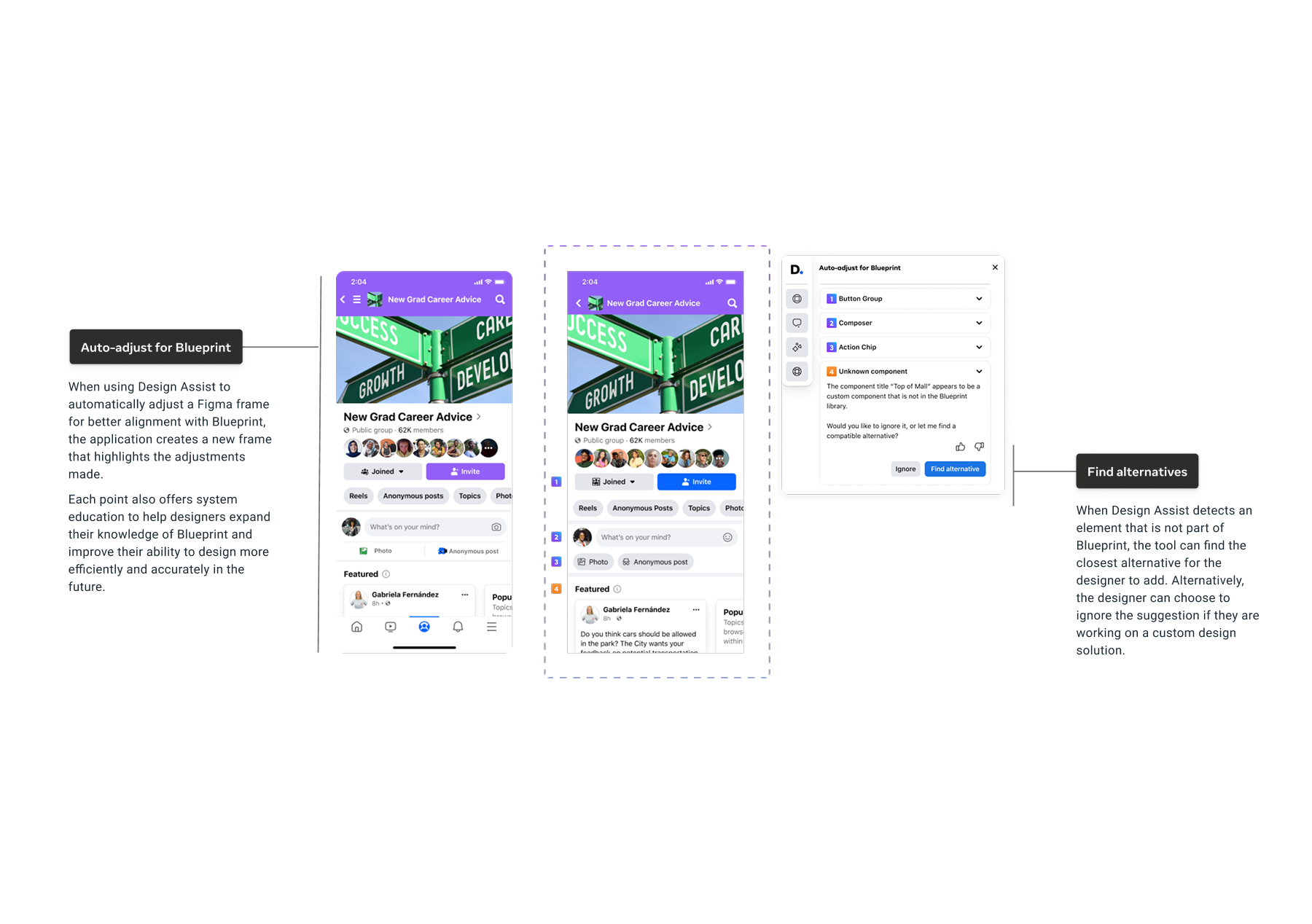
To power this behavior, we partnered with Engineering to build a bespoke RAG (Retrieval-Augmented Generation) Knowledge Pipeline. A standard model doesn’t know what a “Meta Jewel Notification” is, so we created a Design Data Schema that mapped over 6,000 components to a standardized taxonomy and design documentation. This allowed the AI to “retrieve” live technical documentation and component specs, and to see documentation data in real time, grounding every generative suggestion in the hard truth of our engineering repositories.
To ensure our AI strategy delivered business value for the EISA Org, we worked backwards from the “Super IC” vision to define four measurable success pillars.
Goal: Design Efficiency (Time Reclaimed). With 16 hours lost monthly to “system archeology,” our velocity was capped. We aimed to reclaim 10 to 15 hours per designer per month by automating component implementation. Success would be measured by a reduction in “Time to Build” metrics.
Goal: System Integrity (Adoption & CSAT). Adoption was stagnating at roughly 45%, creating technical debt that slowed engineering. We set a target to increase adoption from 45% to 90% while maintaining a high CSAT score, demonstrating that designers used the tool because it helped, not because they were forced to.
Goal: Quality & Standards (Support Overhead). The Design System team was overwhelmed by repetitive support tickets regarding basic usage questions. By embedding “in-flow education,” we aimed to significantly reduce support tickets by using AI to answer “Level 1” questions, freeing humans to solve complex problems.
We found that designers spent 15 hours per month on system-related tasks, including searching, verifying, and fixing components. This wasn’t creative time. Administrative overhead drained 40% of their workweek. If we could reclaim those hours, we could effectively double the team’s creative capacity.
Our data showed an 87% abandonment rate when component classification required multiple steps. If the system fought the designer, the designer won by detaching the instance.
Only 46% of designers were consistently using Blueprint correctly across the 6,000+ component library. We needed a “Unified Product+Design Catalog.” The solution needed to connect the static design system and documentation (product catalogue, use cases) to the live engineering reality, serving as a translator rather than just a librarian.
We prototype and validate through collaborative design workshops that balance technological feasibility with user experience goals. We conducted three structured design workshops where cross-functional teams collaborated to explore and refine Design Assist concepts. The workshop structure followed a progressive development path:
- Concept exploration and ideation based on research insights
- Feature refinement and prototype development with critique sessions
- Demo preparation and implementation planning with engineering teams
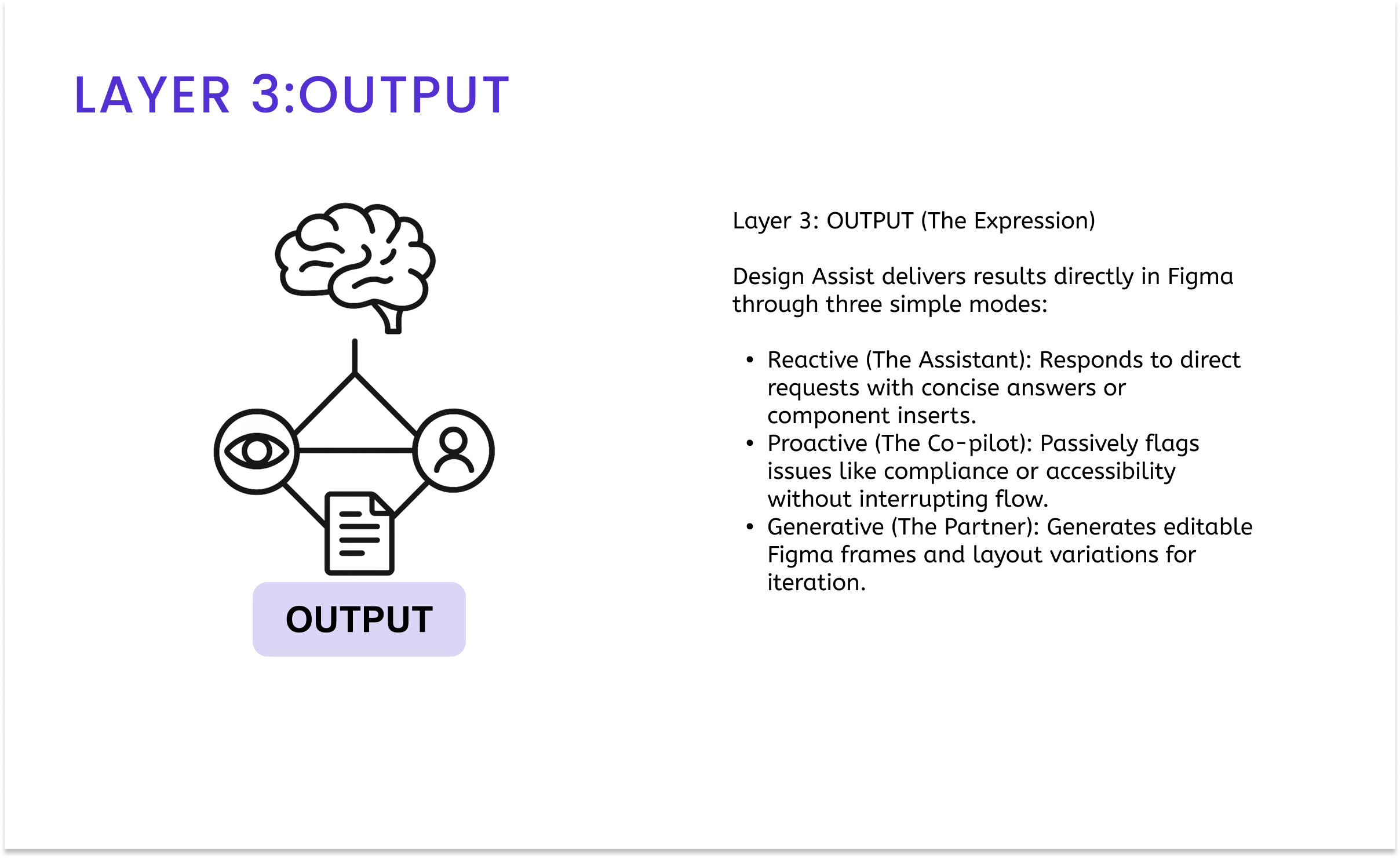
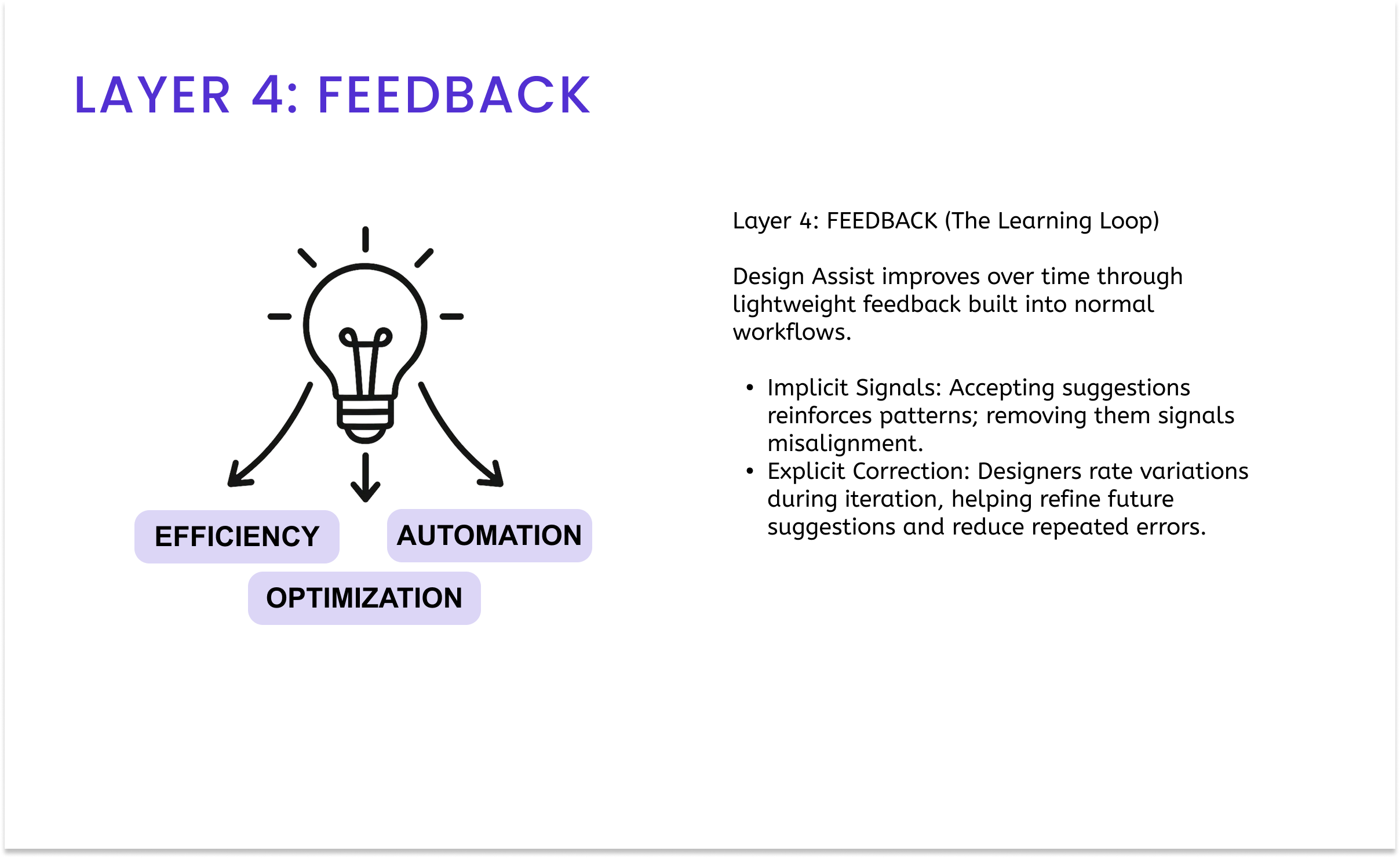
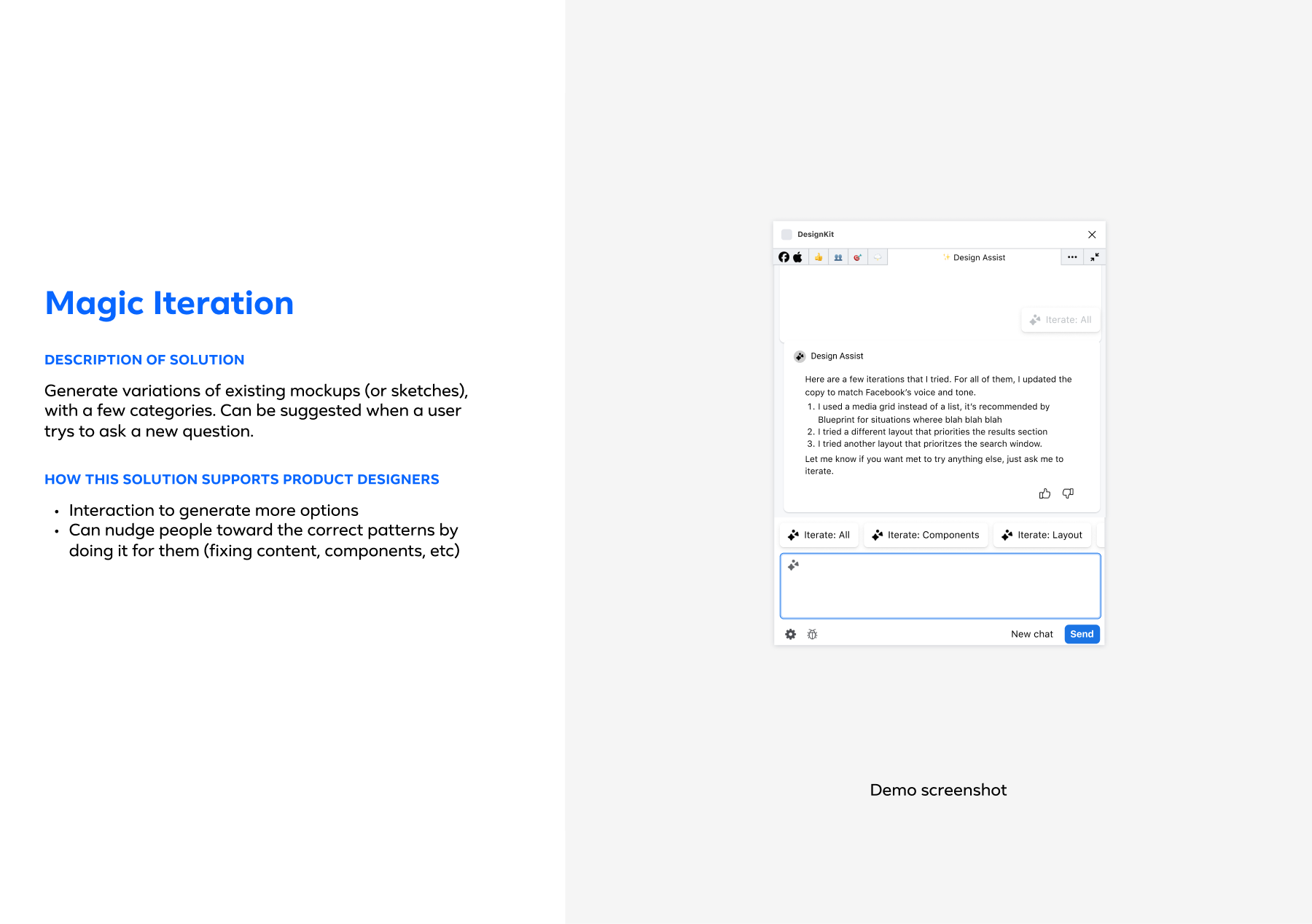
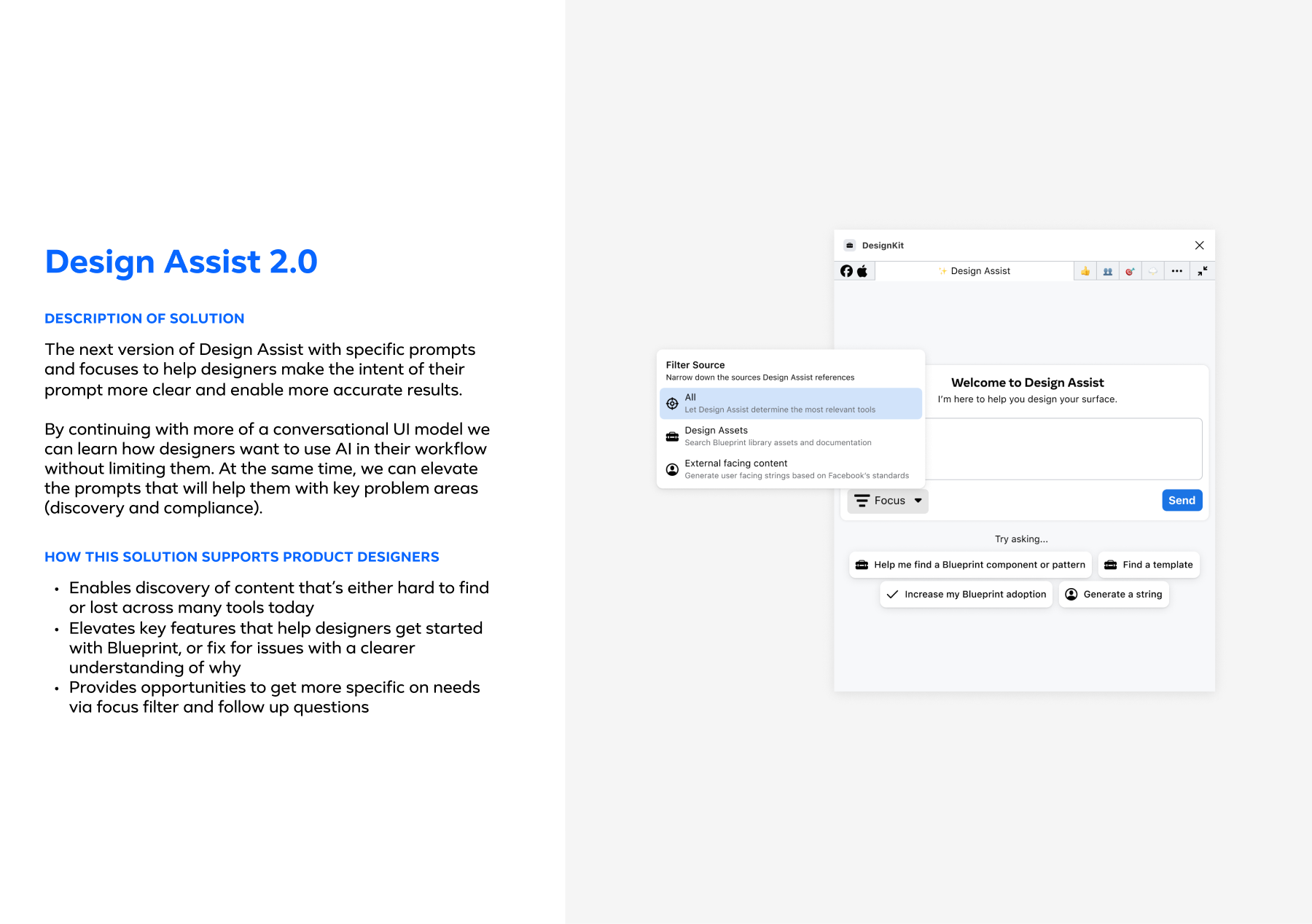
This collaborative approach allowed designers to prototype the designs directly. The phased rollout strategy began with essential Blueprint component detection, followed by automatic compliance checking (which increased adoption by 42%), and finally by the introduction of contextual recommendations and iteration features. Each implementation phase incorporated user feedback, particularly around maintaining creative autonomy while providing system guidance. The technical implementation required close collaboration with the MetaGen team on AI capabilities and with the Blueprint team on design system integration, while adhering to Meta’s privacy and security requirements.
Design Interventions
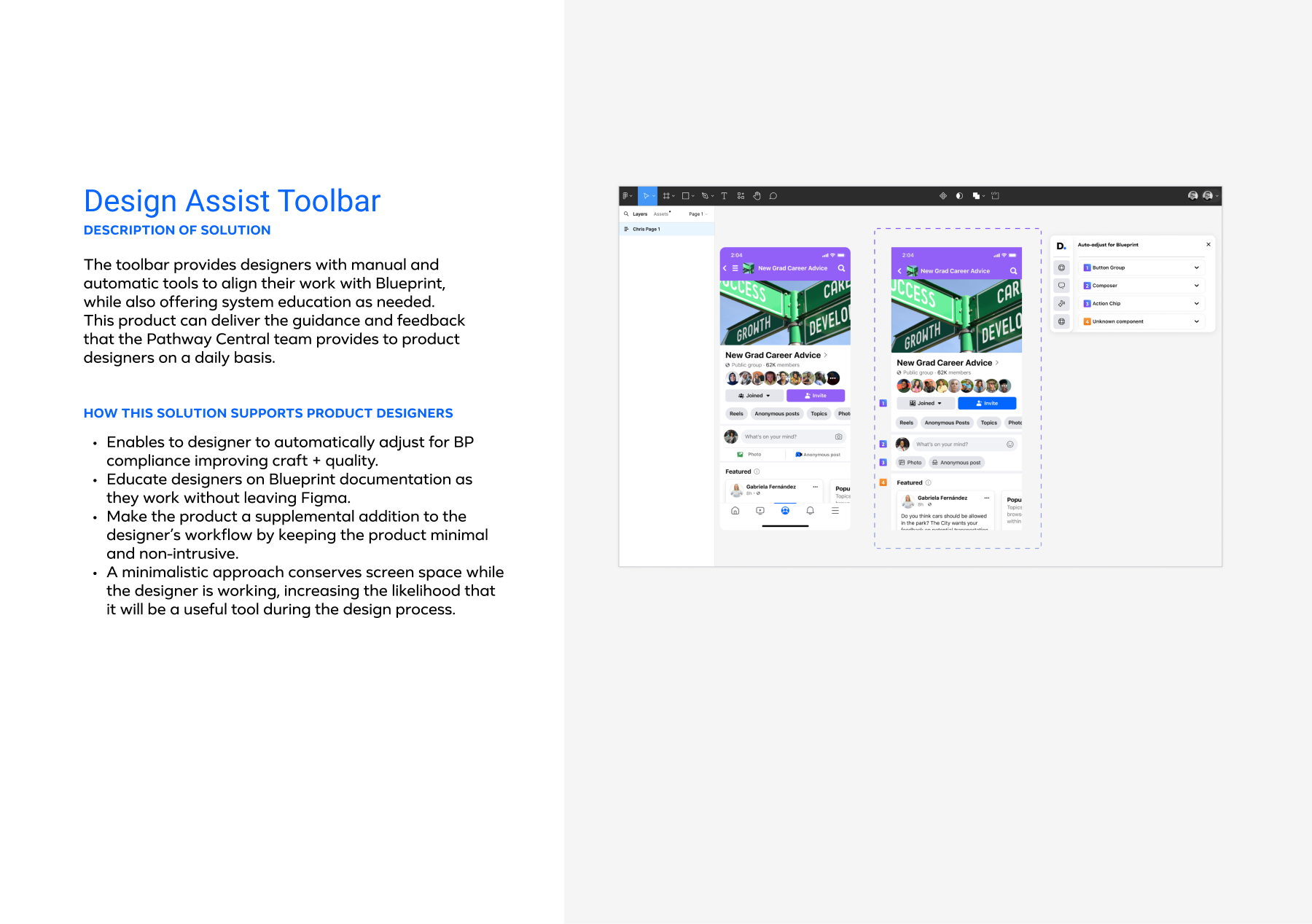
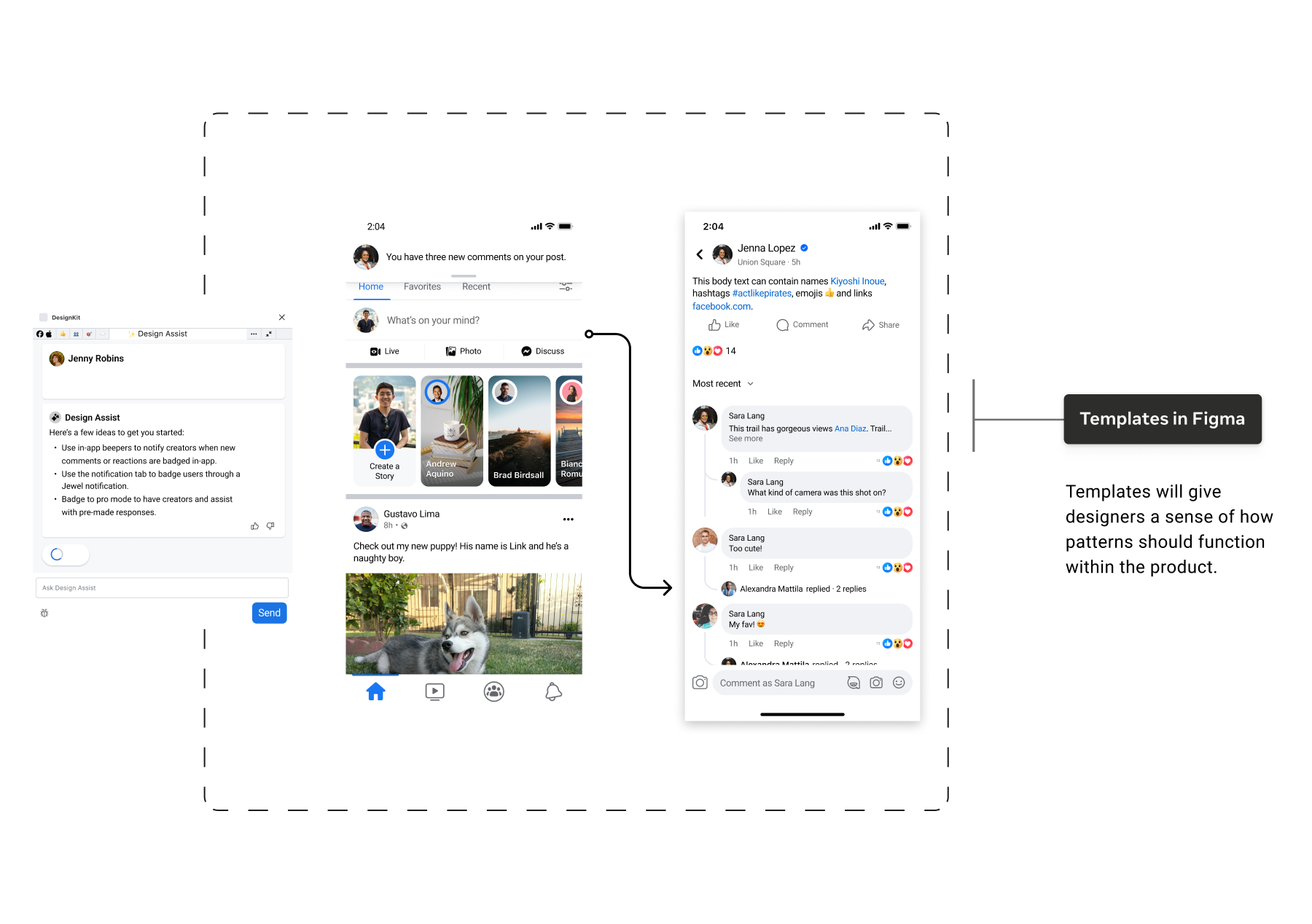
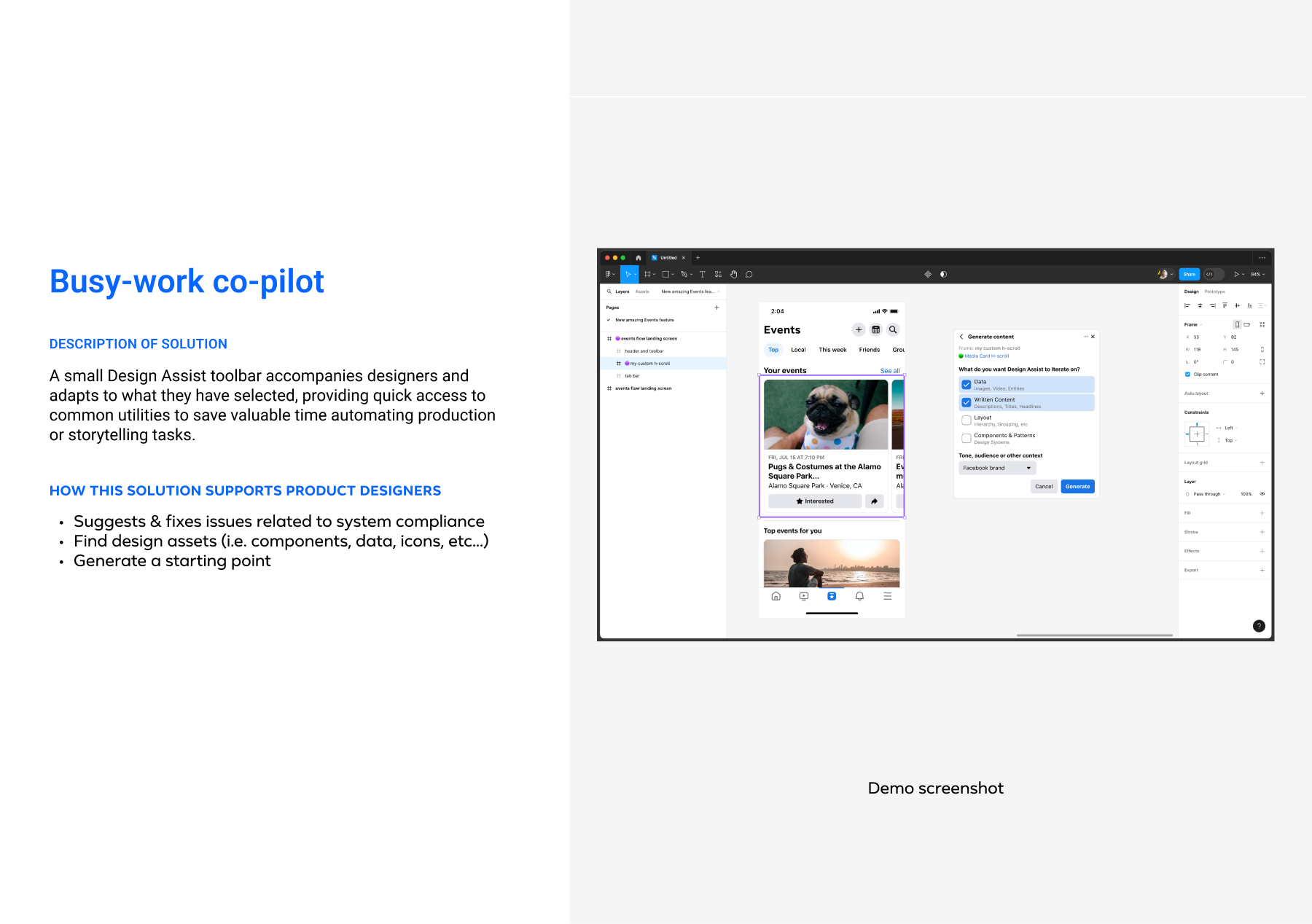
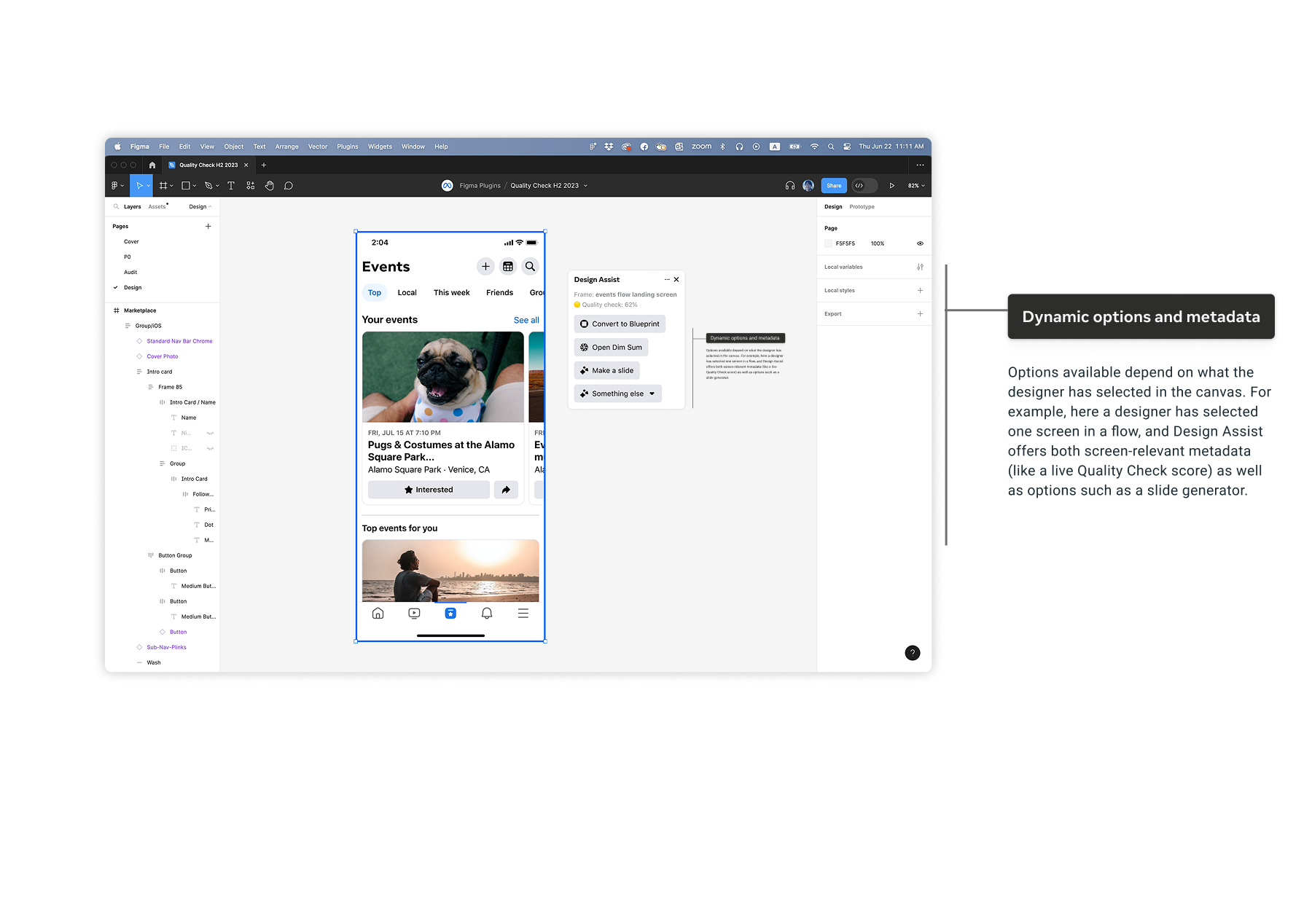
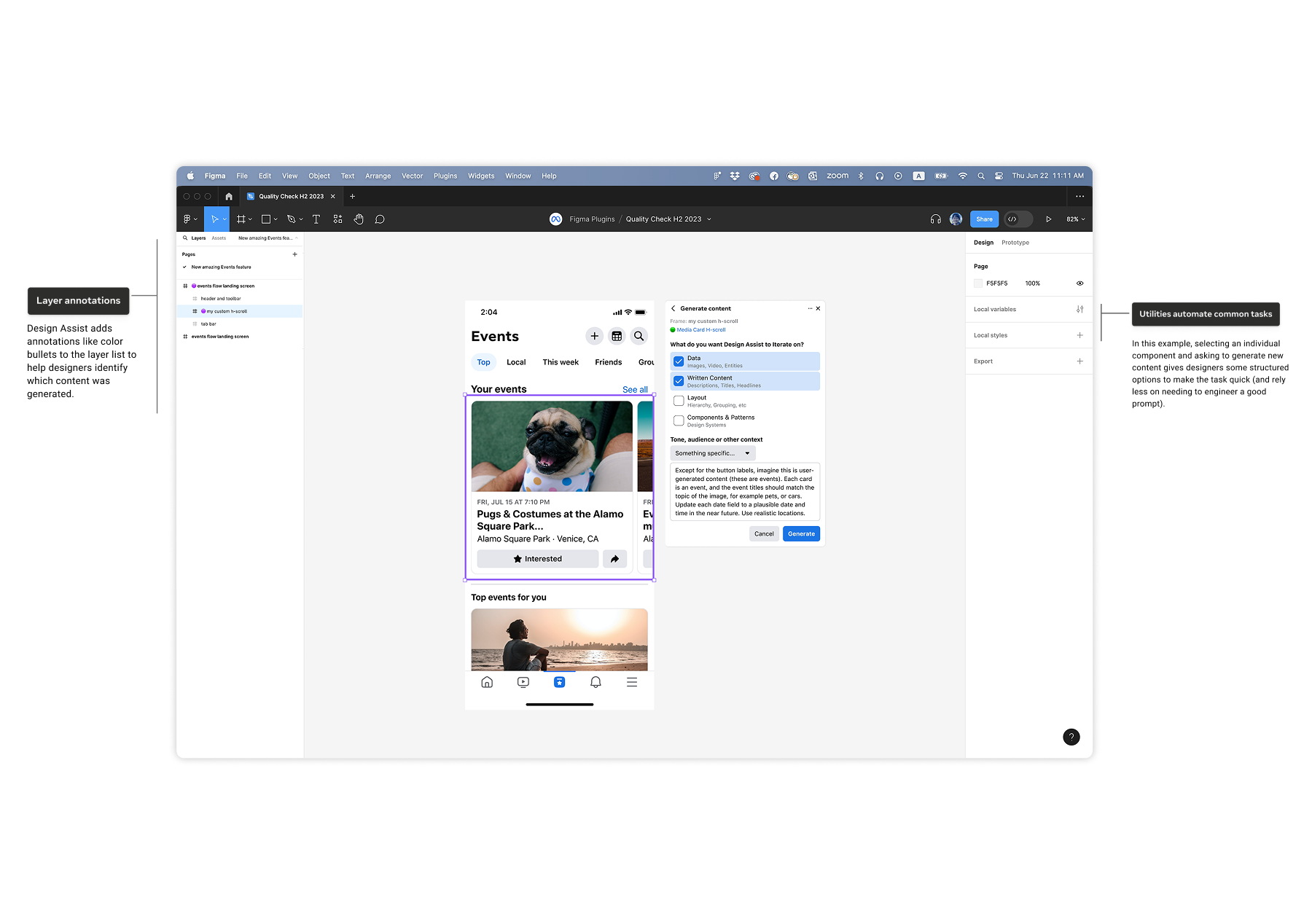
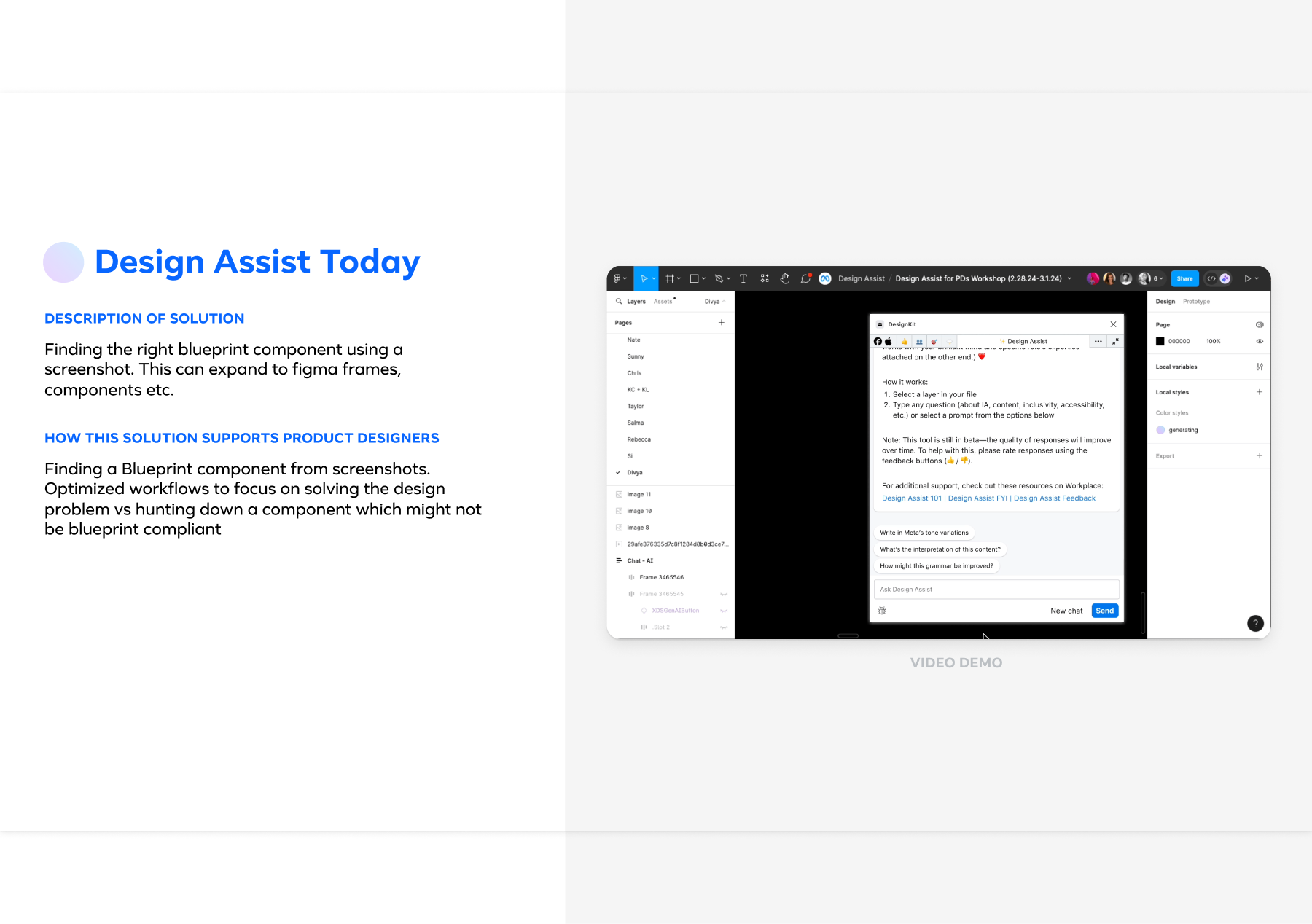
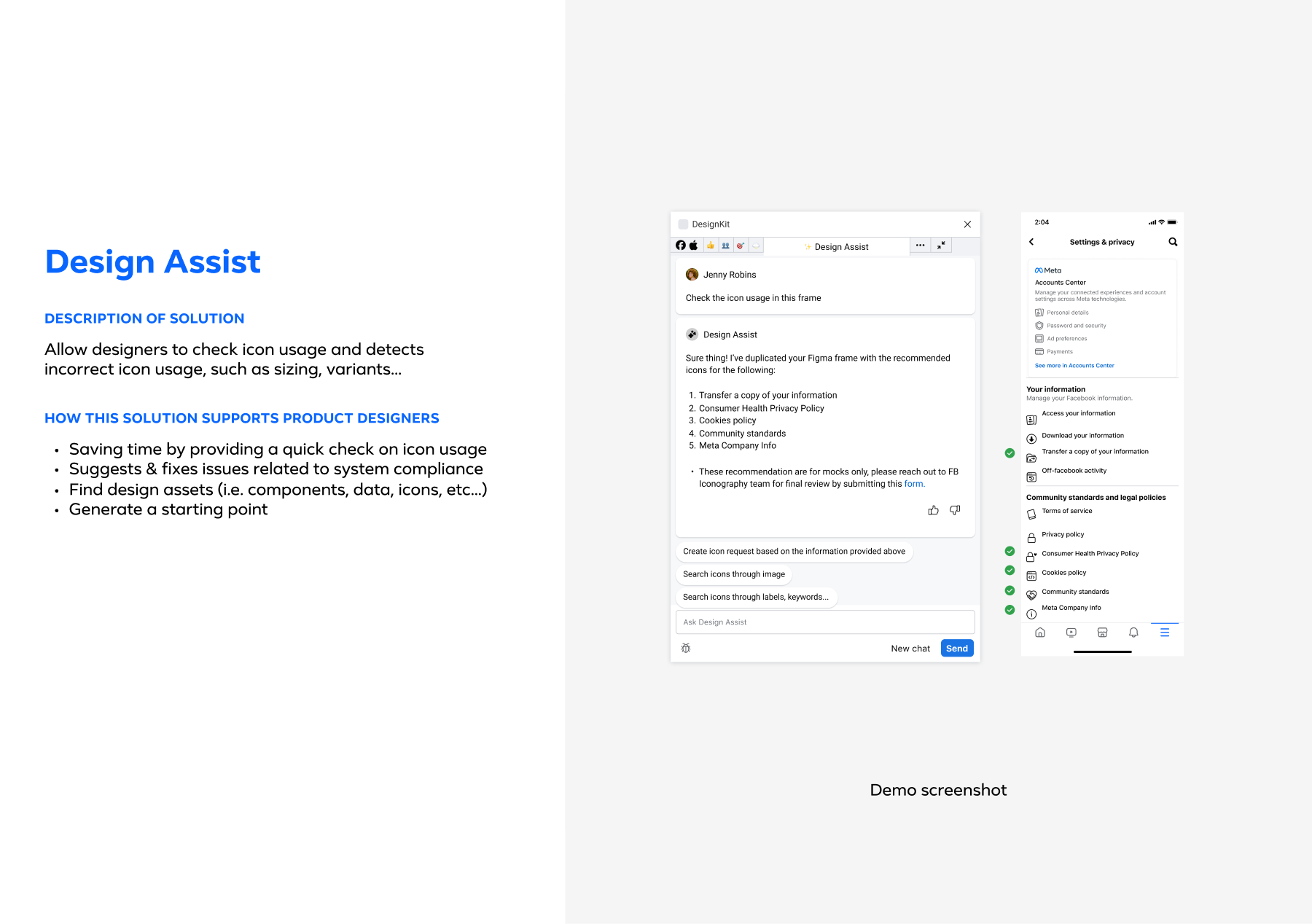
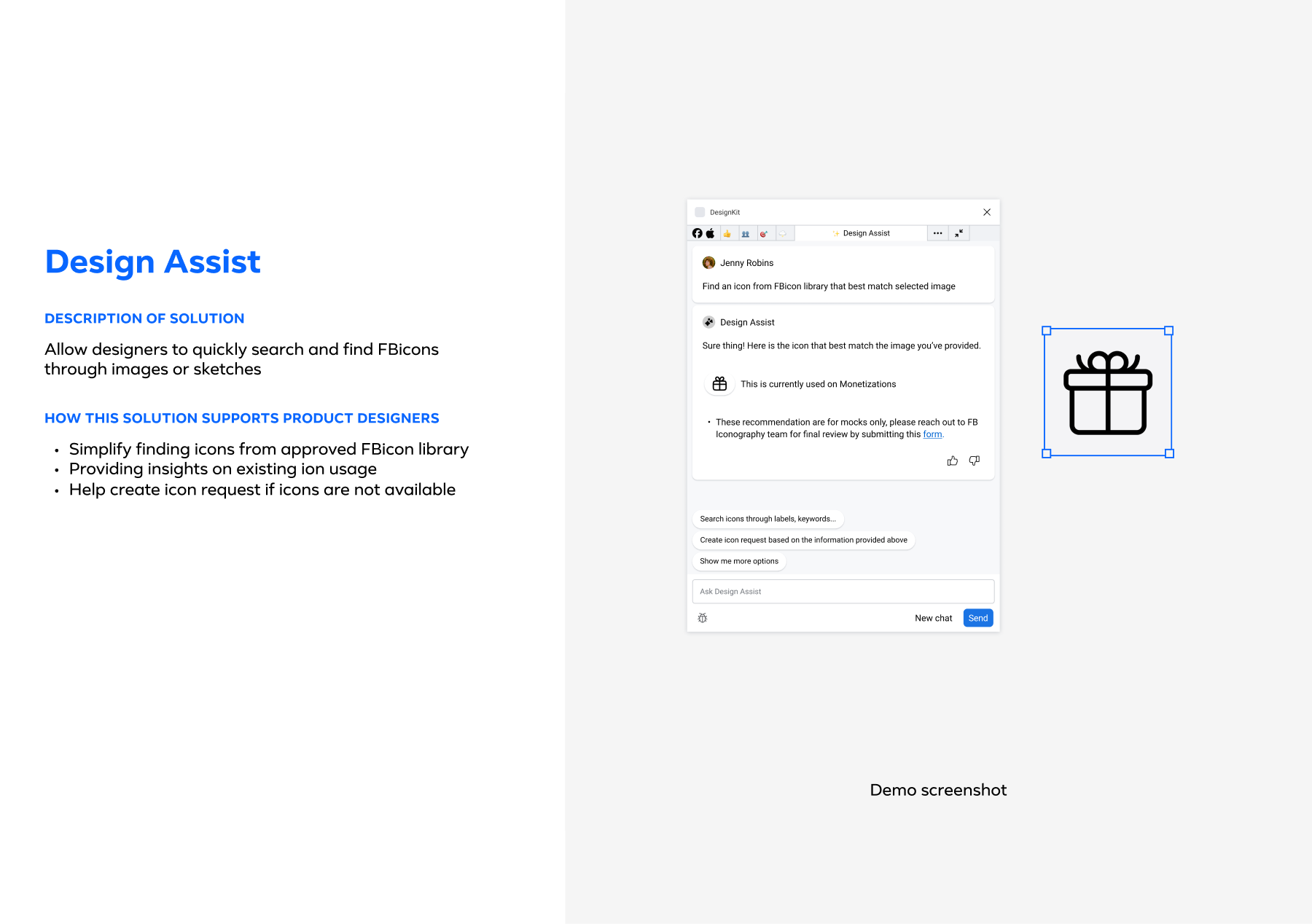
Design Assist began as a Figma plugin acting as a real-time bridge between Blueprint and the designer’s active file. It intervenes in three ways: contextual guidance, automated production, and system enforcement. We didn’t just build a chatbot. We built infrastructure. We created a Design Data Schema mapping 6,000+ component patterns to a standardized taxonomy and collaborated with engineering to build the RAG Knowledge Pipeline, ensuring AI could securely “read” Figma tables and Product Catalog context.
Toolkit, Methods & Frameworks
During the research, we analyzed 300+ Figma files, conducted 17 interviews, and 20 contextual inquiries. This uncovered barriers to design system adoption at Meta EISA. Findings showed 46% inconsistent Blueprint usage, 25% time lost searching components, and high compliance errors, with friction extending beyond designers to cross-functional dependencies.
Time Reclaimed
Eliminated manual system searches and compliance checks per month
Capacity Growth
Equivalent to adding 2-3 designers without new headcount
Blueprint Adoption
Grew from ~45% to 90% within 9 months of launch.
Reflections & Impact
Design Assist helped Meta’s EISA designers work more efficiently. By saving each designer 10-15 hours per month, we increased our 5-person team’s capacity by 40-50%. That’s like having 2-3 additional senior designers, worth an estimated $450K-$900K annually in reclaimed time.
Blueprint adoption jumped from 45% to 90% within 9 months, showing we’d actually made it easier for designers to make the right choices. The satisfaction score rose from 75% to 84%, which told us designers saw the tool as something that helped them do better work, not just another system to police their decisions.
The biggest lesson? AI-powered design systems can reduce design debt while helping teams move faster. By building intelligence directly into Figma rather than making designers switch contexts, we showed that doing things right and doing them quickly can work together when you design the infrastructure thoughtfully.
Next Steps
Phase II: Extending the Operating System
With Phase I proving the foundation (90% adoption, $450K-900K annual revenue impact), we’re extending design intelligence beyond Figma to engineers (VS Code) and product managers (Jira), enabling true self-service across the organization. The same “Design Brain” that powered designer workflows will now democratize design knowledge enterprise-wide, transforming Design Assist from a productivity tool into an organizational infrastructure.